
tech
BigCache: High-Performance Memory Caching in Go
BigCache: High-Performance Memory Caching in Go. BigCache [1] is a high-performance in-memory caching library designed for applications that demand high co。
tech
BigCache: High-Performance Memory Caching in Go. BigCache [1] is a high-performance in-memory caching library designed for applications that demand high co。
tech
bigcache是一个高性能的内存缓存库,专为需要高并发访问和低延迟响应的应用场景设计。本文将深入探讨 BigCache 的性能优化手段,包括分片机制、高效哈希算法、读写锁的使用等,并引用相关源码进行详细说明。 分段加锁 从使用者的角度来看cache就像一个大的hashtable,可以存储k/v 格式的数据。 那么,是不是可以使用一个map[string][]byte + sync.RWMutex 实现满足需求的cache呢? 如果性能要求不高,的确可以这么做。 sync.RWMutex虽然对读写进行了优化,但是对于并发的读,最终还是把写变成了串行,一旦写的并发量大的时候,即使写不同的key, 对应的goroutine也会block,只允许一个写执行,这是一个瓶颈,并且不可控。 bigcache 参考了 java ConcurrentMap 的实现方式,将一个大hashtable 分成多个小的 shard,每个分片一把锁,很多大并发场景下为了减小并发的压力都会采用这种方法,比如MongoDB的sharding等。Golang也有一个第三方的 ConcurrentMap

tech
linux:一台服务器最大能支持多少条 TCP 连接. "因为TCP端口号是16位无符号整数,最大 65535 ,所以一台服务器最多支持 65536 个TCP socket连接." 这是一个非常经典的误解! 即使是有多年网络编程经验的人,也会持有这个错误结论。 其中0-1023 端口是系统保留的端口,并不能被。
tech
Debunking the Misconception: Maximum Number of TCP Connections on a Server. Introduction There's a widespread misconception: Since TCP port numbers are 16-。

Debunking the Misconception: Maximum Number of TCP Connections on a Server. Introduction There’s a widespread misconception: Since TCP port numbers are 16-。

Which Programming Language Is The Fastest?. @BenjDicken add a test to execute a two-tiered loop, 10,000 * 100,000 = 1,000,000,000,000 loops, to see which p。
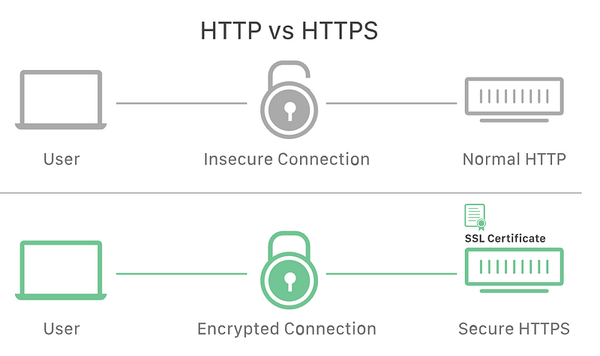
Can We Still Use HTTP?. I recently launched a new service, and a collection interface takes up more bandwidth. This interface is straightforward, and I’m c。
Mastering the find Command in Linux: 8 Practical Use Cases. Scenario: You are tasked with deleting log files in a Linux server’s .logs directory that has n。
How To Set Up GitLab On MacBook. Recently, I wanted to learn about infrastructure knowledge systematically, so I planned to build a learning environment. S。
tech
最近想要系统的学习一下基础设施方面的知识,所以准备搭建一个学习环境,我没有多余的机器使用,只有一个MacBook Pro 2021 ,所以选择在笔记本上使用 Docker 搭建一套环境,目前看来第一步还是顺利的。 安装 GitLab Mac 的M1芯片使用的是ARM架构,所以我们去寻找 ARM架构的镜像, 我是用的是yrzr/gitlab-ce-arm64v8:latest 首先需要创建 gitlab-ce 的三个工作目录 etc、 log、 opt ,不然会报错 。 将volumes里面的配置修改成你的工作目录就可以了。这里暴露了两个端口9922、9980 因为是在本地使用,所以就没开放https的443 端口,后面也不准备使用https。 docker-compose.yaml version: "3.8" services: gitlab-ce: image: yrzr/gitlab-
tech
How To Set Up a GitLab Environment Locally on MacBook Pro. Recently, I decided to explore infrastructure concepts more deeply and set up a personal learnin。
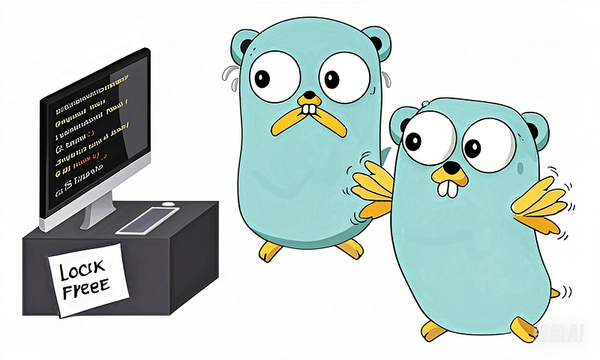
Go High-Performance Programming EP11: lock-free coding. Introduction The previous article discussed two lock-free programming strategies: eliminating share。