Why is the Mac trackpad better than the Windows trackpad?
Why is the Mac trackpad better than the Windows trackpad?. Mac Why is the Mac trackpad better than the Windows trackpad? I was scrolling r/mac last week wh。
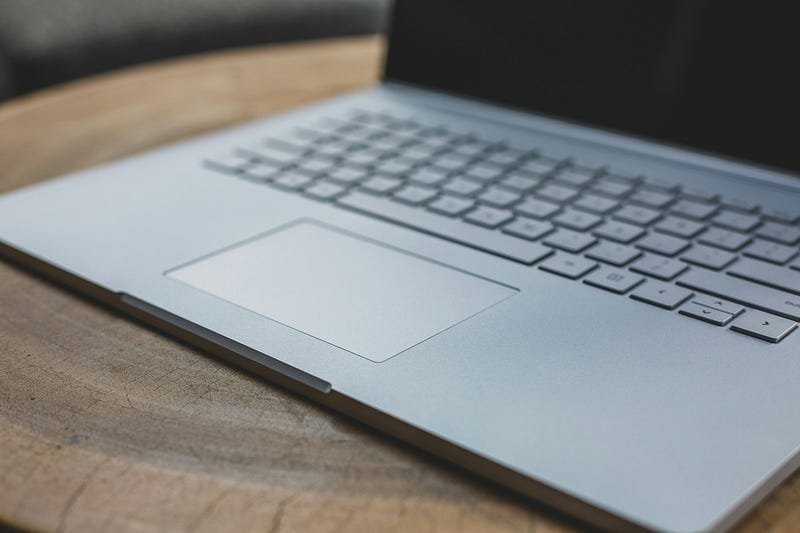
Mac
Why is the Mac trackpad better than the Windows trackpad?
I was scrolling r/mac last week when a thread stopped me: which macOS feature made you stop wanting to go back?
Thousands of replies: AirDrop, Handoff. The fact that closing the lid never worries you. But the loudest argument, by far, was about trackpads. ThinkPad and Dell owners, HP owners too, kept describing the same thing: phantom clicks. The cursor jumps. Your palm brushes the pad, and something fires that you never asked for.
Someone pushed back. Said it’s a hardware quality problem, nothing to do with the OS.
Half right. The other half starts with a patent.
The thread also surfaced system stability and ecosystem continuity, real complaints, but none of them come with a document you can check against the original text. Trackpads are different. There’s a patent number, an official API doc, a certification standard. All three check out.
An operating system’s protocol standard is, at bottom, a contract. A contract can spell out what must be delivered. It says nothing about how well.
Apple Drew the Blueprint in 2009
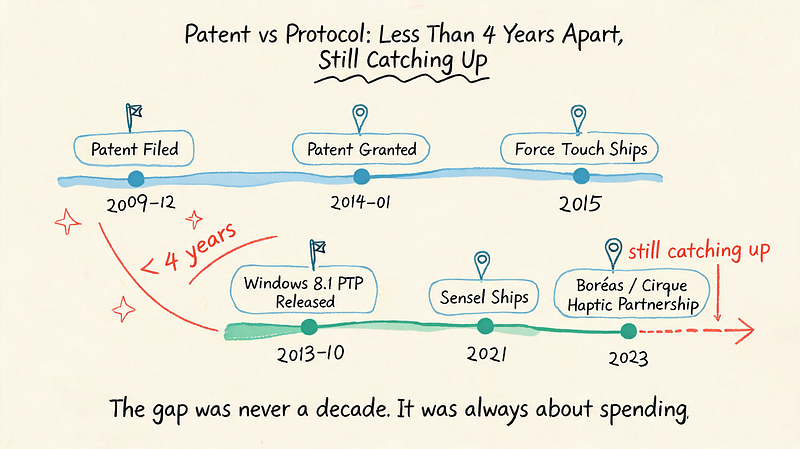
On December 10, 2009, Apple filed a patent application with the USPTO: US8633916B2. One of the inventors is Jeffrey Traer Bernstein, whose name shows up on nearly every multitouch patent Apple has filed since.
The patent wasn’t granted until January 21, 2014. It didn’t become a product until the Force Touch trackpad shipped in 2015. Filing to shipping: five years and change.
Here’s what the patent actually says:
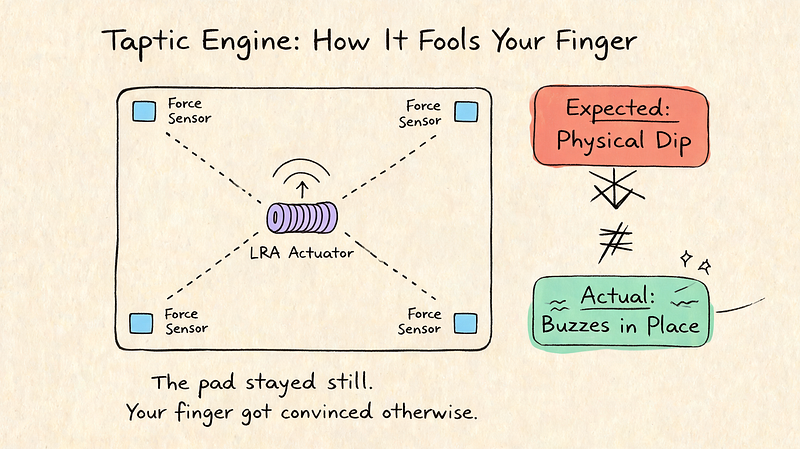
“Force sensors 34 may be located at each of the four corners of touch pad member 24.”
Force sensors, four corners. One layer up, the patent describes “a smooth layer of glass or other suitable materials” sitting over a capacitive touch array. The pad itself never physically dips. Four corner sensors read how hard you’re pressing, and an actuator fakes the click.
Before this, laptop trackpads mostly used what reviewers call a “diving board” design: hinged at the bottom, physically depressed at the top. It has a built-in flaw: the lever arm is short at the top, so clicking there feels dead, while the bottom flexes too easily and the mechanical switch underneath wears loose over time. Anyone who’s used an older ThinkPad has felt that dead-top click.
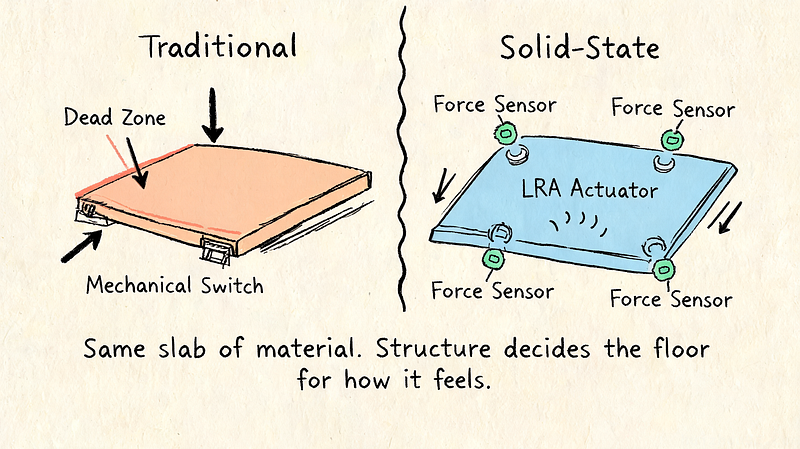
No physical click wasn’t a marketing idea Apple came up with in 2015. The blueprint existed while every other trackpad on the market still used a mechanical switch.
A patent alone doesn’t guarantee good feel, though. Patent offices are full of blueprints that never became good products. What made this one work is what happened after: the design never left Apple’s hands. Sensor precision and actuator firmware sit inside one company. So does the system-level recognition layer on top of them. Whenever any layer could be built cheaper, Apple made that call itself, not some third-party vendor.
What Taptic Engine Actually Does
The part responsible for fooling your finger is called Taptic Engine.
It’s a linear resonant actuator: coils wound around a magnetic core, producing a precise vibration on demand. First time I read that term I had no idea what it meant either. It’s basically a motor that shakes very precisely. The pad doesn’t move. Your finger just believes it did. Apple also tiered the feedback: a light press feels different from a hard press, the same logic as a camera shutter, half-press to focus, full press to shoot.
The first time I tried this on a MacBook, I put my finger flat on the desk right after, just to compare. If nobody told you the pad never actually moved, you wouldn’t be able to tell.
macOS Treats the Trackpad as a First-Class Citizen
Hardware is only half of it. The other half is whether the operating system treats the trackpad seriously at all.
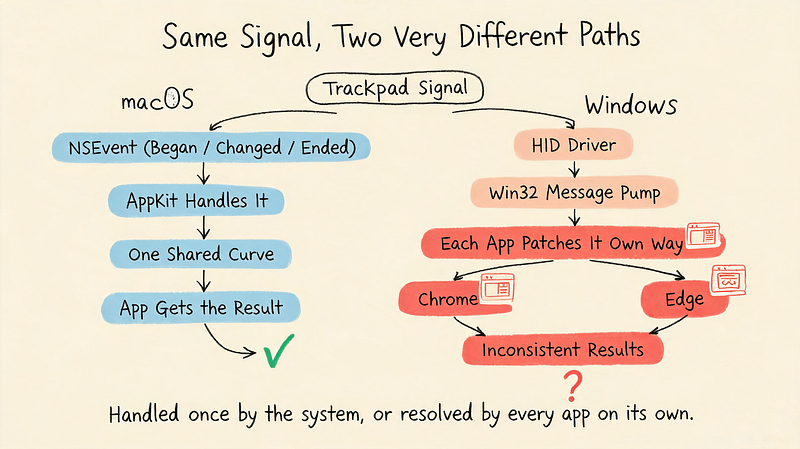
In macOS, a trackpad was never just “a mouse substitute.” Apple’s developer documentation defines a full gesture lifecycle through NSEvent (Began, Changed, Ended), plus dedicated NSPressureConfiguration and pressureChange(with:) interfaces, giving every app a continuous pressure value between 0 and 1 without guessing. That API has been public and consistent since the OS X Yosemite era.
The distinction between a light tap and a firm press isn’t something each app has to reinvent. It comes from the system, ready to use.
Scroll smoothness isn’t purely a hardware story either. Pavel Fatin, an engineer at JetBrains, ran a fairly rigorous comparison of scrolling implementations across operating systems. His conclusion:
“the underlying reason is different: because Mac OS applies system-wide scrolling acceleration”
macOS feels smooth because the system applies one shared acceleration curve everywhere, not because every app writes its own. He also found that browsers on Windows and Linux (Chrome, for one) have to bolt on their own interpolation at the application layer, because the raw data coming off the trackpad hardware often isn’t smooth enough on its own.
That’s a real dent in the pure-hardware theory. Feel depends as much on whether the system bothers to smooth things out in software as it does on the sensor itself.
How Microsoft’s 2013 Protocol Standardized the Contract
Windows didn’t sit still.
In the fall of 2013, Windows 8.1 shipped with a protocol standard called Precision Touchpad, or PTP. Less than four years after Apple’s patent filing, and a few months earlier than the patent’s actual grant date in January 2014. Not a lagging patch. An almost simultaneous response.
PTP rewrote the rules. Before it, every OEM wrote its own driver, and gesture recognition and palm rejection were entirely up to individual vendor competence. After PTP, trackpad makers only had to report raw touch data over HID (via I2C, USB, or SPI), and gesture recognition, acceleration curves, and palm rejection all moved into the Windows system layer.
Microsoft’s own documentation puts it plainly:
“Touchpad devices are expected to use the Human Interface Device (HID) protocol to communicate with their Windows host.”
Microsoft even wrote a quantifiable acceptance test into the contract. One certification test, Stationary Jitter, holds a finger still on the pad for ten seconds; the allowed drift tolerance is 0.5mm, and all ten iterations have to pass. The spec is blunt about it:
“the contact moved or jittered greater than the allowed tolerance of 0.5mm”
That’s written into the certification, black and white. A vendor doesn’t need to interpret what a finger is doing. It just reports the data honestly, and the drift can’t cross that line. This was a real contract: it took judgment logic that used to be scattered across hundreds of separate drivers and pulled it into one place.
Microsoft got this part right.
Floors Are Guaranteed. Ceilings Are Not.
The problem: a 0.5mm tolerance is a passing grade, not an excellent one.
The same PTP protocol runs on hardware at wildly different price points. On paper, they all look identical: every one of them is a compliant HID device. Phantom clicks usually trace back to one of three causes: a worn or dust-clogged panel, a driver misjudging input, or a sensor that simply isn’t precise enough. The first two have nothing to do with the protocol. The third is the real architectural gap — the one the contract never wrote a clause for.
Interestingly, Windows hardware has spent the last couple of years closing that gap. Sensel, a company making force-sensing resistor trackpads, started shipping into the Surface Laptop Studio in 2021, then landed in Lenovo’s ThinkPad X1 Carbon and X1 2-in-1. Boréas and Cirque are pushing a piezoelectric approach with the same underlying idea: no physical displacement, sensors read force, an actuator sends feedback back. Structurally, it’s the same direction as Apple’s original patent.
Whether the technology can do it was never the question. The question is whether anyone’s willing to roll it out across an entire lineup. Right now, haptic trackpads still only show up on flagship machines. Most mid- and low-range Windows laptops still run the old diving-board switch. You get what you pay for, and trackpads haven’t found a way around that yet.
Secured at the Floor, Still Racing for the Ceiling
Back to that Reddit thread.
“It’s a hardware quality problem” wasn’t wrong. It just wasn’t the whole answer. A protocol contract only ever draws a floor; it was never meant to draw a ceiling. Precision Touchpad turned “functional” into a quantifiable, testable industry minimum. “Good” was never in the contract terms. It comes down to whether a given manufacturer is willing to spend more on sensor precision.
Apple took a different route: patent, system API, and driver, all held in one hand, five-plus years spent welding a blueprint into a sealed piece of glass. The cost is you can only buy it from one company.
Does it work? Yes — the 0.5mm tolerance guarantees that much. Whether it’s good increasingly depends on whether names like Sensel and Boréas made it onto the spec sheet.
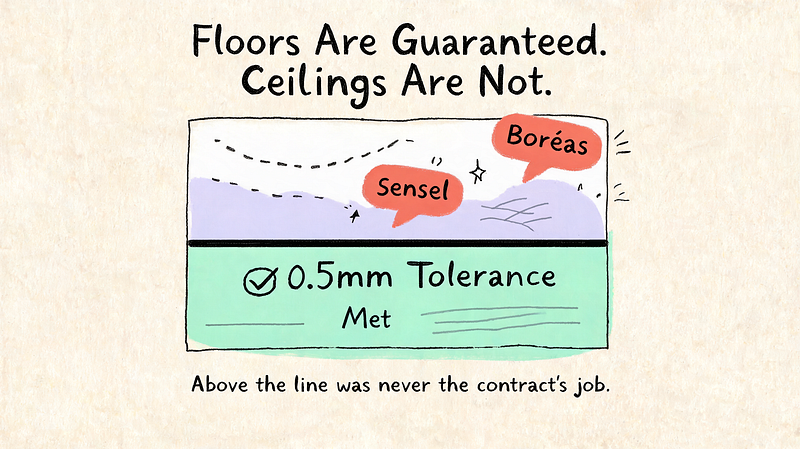
Next time your ThinkPad’s trackpad jumps for no reason, check whether it’s still running that old diving-board switch first. The protocol drew the passing line a long time ago. Everything above that line was never the contract’s job.