Obsidian Action: The Simplest Implementation of the Column Function.
Obsidian Action: The Simplest Implementation of the Column Function.. We can see many people using Obsidian to create homepages in many places, and the col。

We can see many people using Obsidian to create homepages in many places, and the column effect inside looks very nice. How did they achieve it?
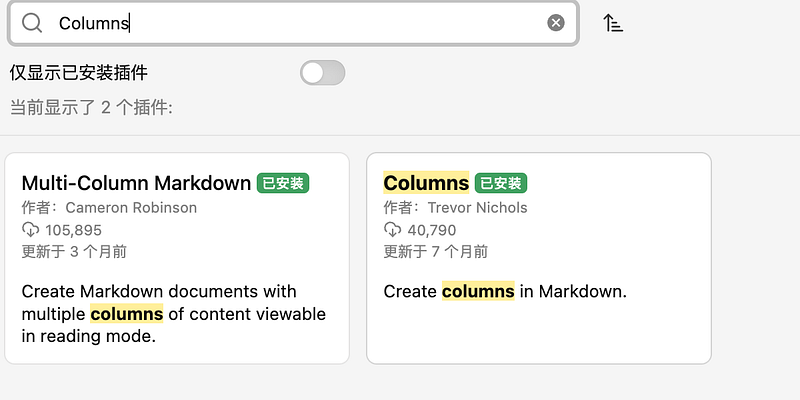
There are many different plugins for implementing columns in Obsidian, there are several in the community store, such as Multi-Column Markdown, Admonition, etc., but none of them are very convenient to use, either they are not very beautiful, buggy, or you need to manually write css code. Today I'd like to share a simple way to use obsidian-columns with 0 code. First we install it by searching for Columns in the community store.
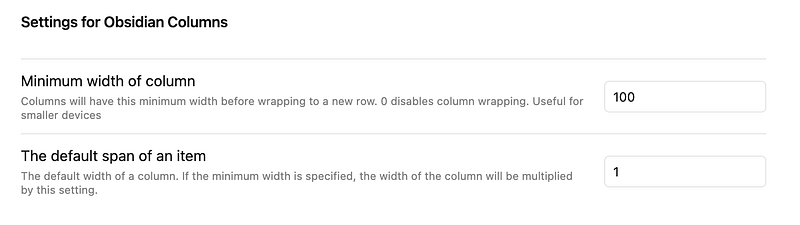
It also has very few configuration items, just two, which won't affect our usage too much.
Before starting the presentation obsidian-columns, take a look at an example.
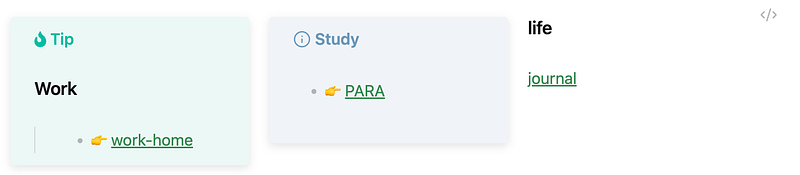
I'm sure you'll be more interested in it if you read its syntax.
``````col
`````col-md
flexGrow=1
===
````ad-tip
# Work
> - 👉 [[work-home]]
````

`````
`````col-md
flexGrow=1
===
> [!info] Study
> - 👉 [[000-P.A.R.A/0.Area/index|PARA]]
`````
`````col-md

flexGrow=1
===
# life
[[2024-04-21|journal]]
`````
``````
That's right, it doesn't need extra configurations, it can easily realize the columns function, and can be used with Admonition , Dataview and other plugins. obsidian-columns , it has text to it, height, width settings, etc., in my testing down, compatibility is still very strong. I currently use custom CSS Admonition program, easy too much, I recommend you try it right away.