How to Capture and Analyze gRPC Packets Using Wireshark
How to Capture and Analyze gRPC Packets Using Wireshark. Introduce Wireshark is a popular tool for capturing network packets. It can not only capture packe。
Introduce
Wireshark is a popular tool for capturing network packets. It can not only capture packets itself but also parse packet files captured by tcpdump.
gRPC is a high-performance RPC framework developed by Google, based on the HTTP/2 protocol and the protobuf serialization protocol.
This article mainly introduces how to capture gRPC packets using Wireshark and parse the packet content.
Wireshark version: 4.2.2
Configuration
Since gRPC uses the protobuf serialization protocol, we need to add the protobuf file path.
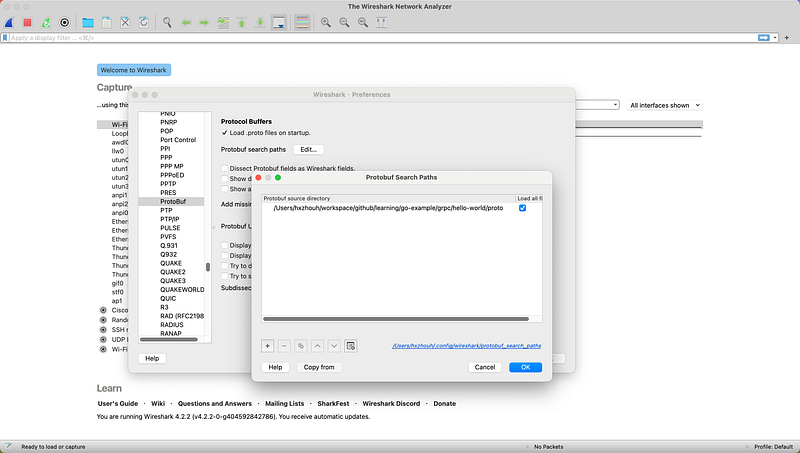
Click Wireshark -> Preferences… -> Protocols -> Protobuf -> Protobuf search paths -> Edit…
Click + to add the path of your protobuf file. Don’t forget to check the Load all files on the right side.
Specific Operations
First, we write a simple gRPC service,
syntax = "proto3";
option go_package = "example.com/hxzhouh/go-example/grpc/helloworld/api";
package api;

// The greeting service definition.
service Greeter {
  // Sends a greeting
  rpc SayHello (HelloRequest) returns (HelloReply) {}
}

// The request message containing the user's name.
message HelloRequest {
  string name = 1;
}

// The response message containing the greetings
message HelloReply {
  string message = 1;
}
It has just one function Greeter. After completing the server-side code, run it.
type server struct {
    api.UnimplementedGreeterServer
}

func (s *server) SayHello(ctx context.Context, in *api.HelloRequest) (*api.HelloReply, error) {
    log.Printf("Received: %v", in.GetName())
    return &api.HelloReply{Message: "Hello " + in.GetName()}, nil
}

func main() {
    lis, err := net.Listen("tcp", ":50051")
    if err != nil {
       log.Fatalf("failed to listen: %v", err)
    }
    s := grpc.NewServer()
    api.RegisterGreeterServer(s, &server{})
    if err := s.Serve(lis); err != nil {
       log.Fatalf("failed to serve: %v", err)
    }
}
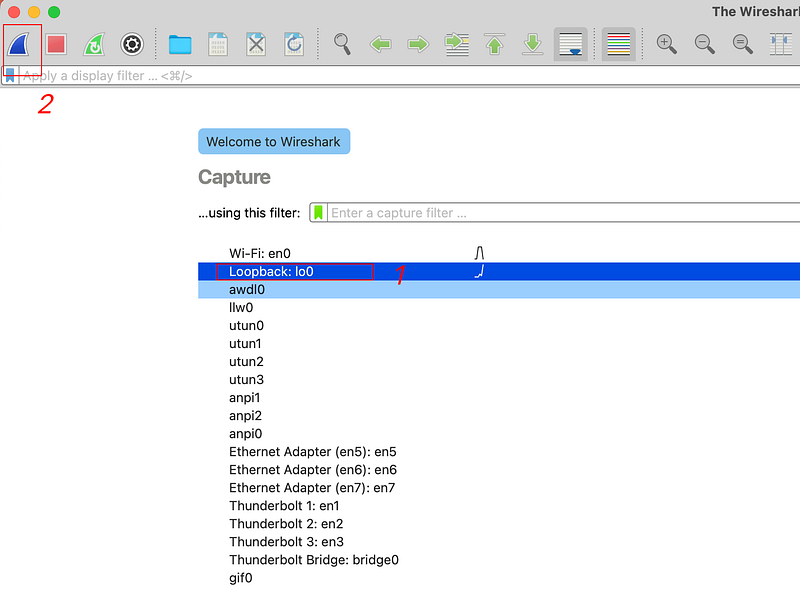
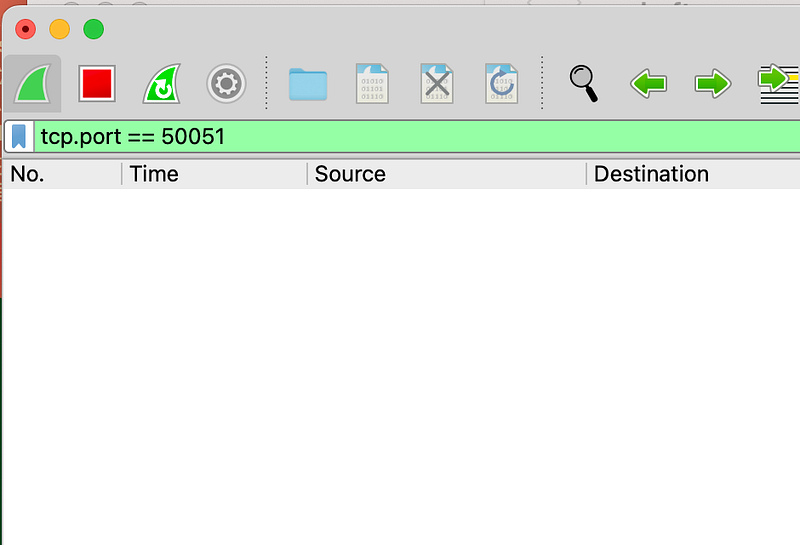
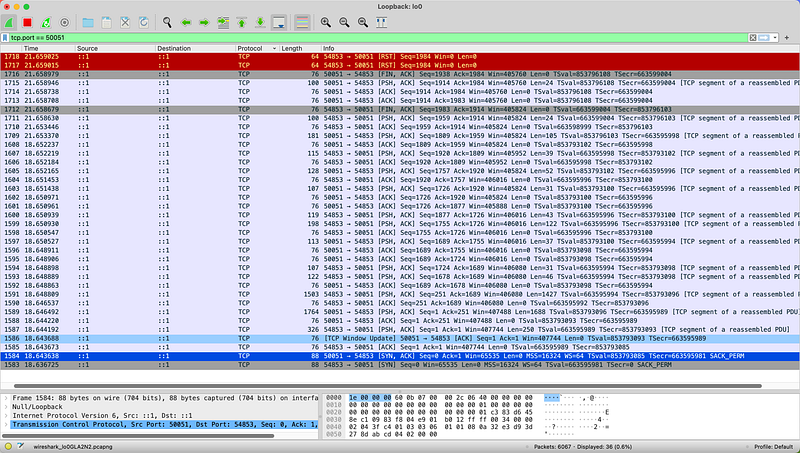
Then open Wireshark, select the local network card(lo0), and listen to tcp.port == 50051.
If you are new to Wireshark, I recommend reading this article first: https://www.lifewire.com/wireshark-tutorial-4143298
Unary Function
Now we have a gRPC service running on the local 50051 port. We can use BloomRPC or any other tool you like to initiate an RPC request to the server or use the following code:
func Test_server_SayHello(t *testing.T) {
    // Set up a connection to the server.
    conn, err := grpc.Dial("localhost:50051", grpc.WithInsecure(), grpc.WithBlock())
    if err != nil {
       log.Fatalf("did not connect: %v", err)
    }
    defer conn.Close()
    c := api.NewGreeterClient(conn)

    // Contact the server and print out its response.
    name := "Hello"
    ctx, cancel := context.WithTimeout(context.Background(), time.Second)
    defer cancel()
    r, err := c.SayHello(ctx, &api.HelloRequest{Name: name})
    if err != nil {
       log.Fatalf("could not greet: %v", err)
    }
    log.Printf("Greeting: %s", r.GetMessage())
}
At this point, Wireshark should be able to capture the traffic packets.
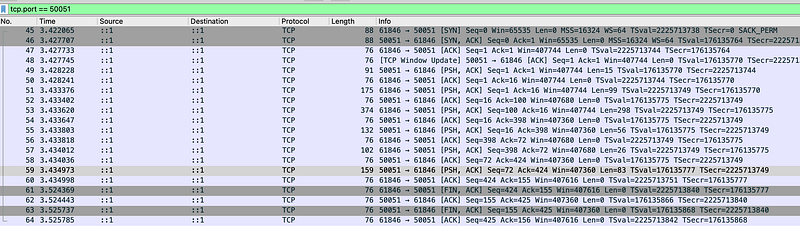
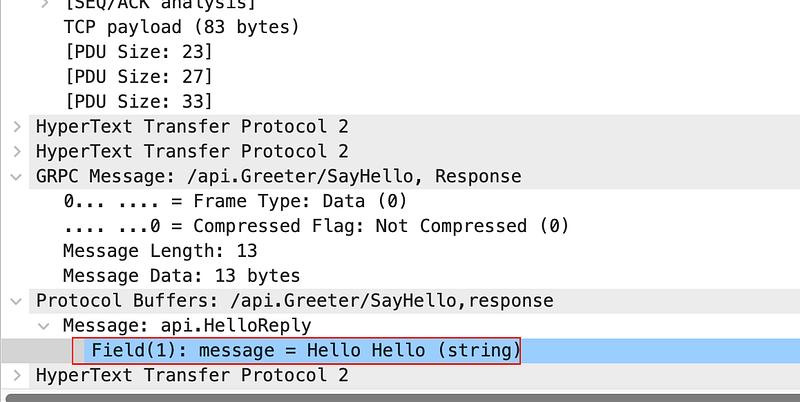
As mentioned earlier, gRPC = HTTP2 + protobuf, and since we have already loaded the protobuf file, we should now be able to parse the packet.
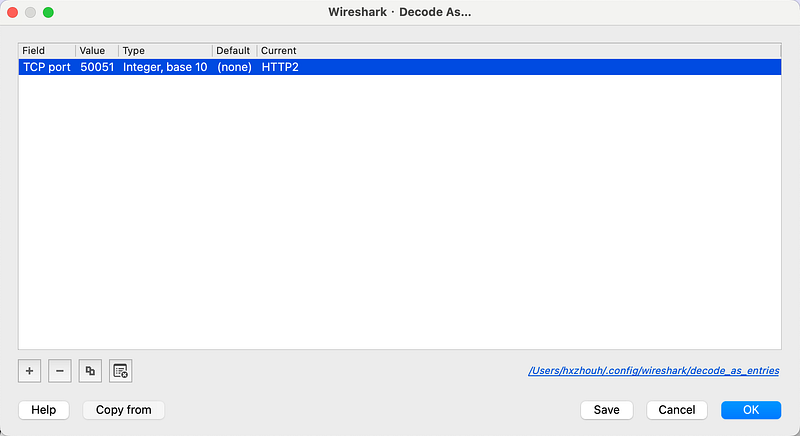
Use the Wireshark shortcut shift+command+U or click Analyze -> Decode As... and set the packet to be decoded as HTTP2 format.
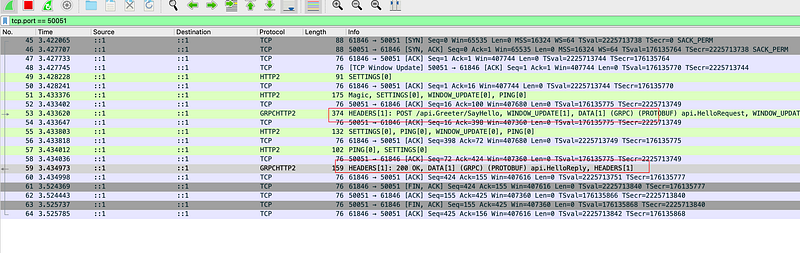
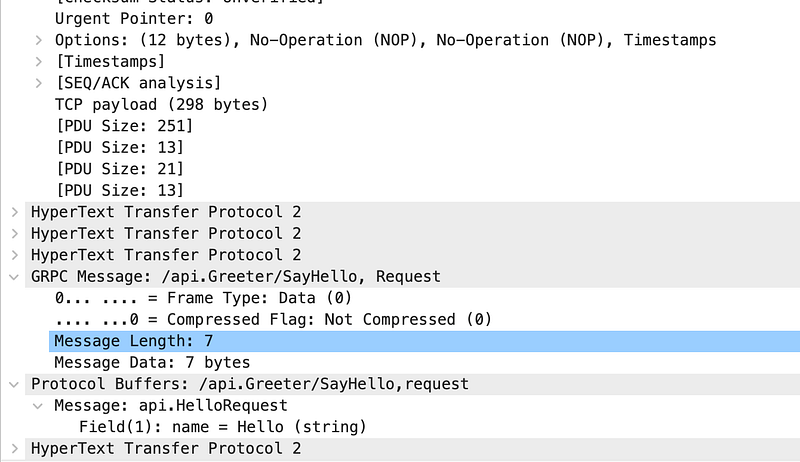
At this point, we can see the request clearly.
Metadata
We know that gRPC metadata is transmitted through HTTP2 headers. Now let’s verify this by capturing packets.
Slightly modify the client code:
func Test_server_SayHello(t *testing.T) {
    // Set up a connection to the server.
   .....
   // add md
    md := map[string][]string{"timestamp": {time.Now().Format(time.Stamp)}}
    md["testmd"] = []string{"testmd"}
    ctx := metadata.NewOutgoingContext(context.Background(), md)
    // Contact the server and print out its response.
    name := "Hello"
    ctx, cancel := context.WithTimeout(ctx, time.Second)
   ....
}
Then capture packets again. We can see that md is indeed placed in the header.
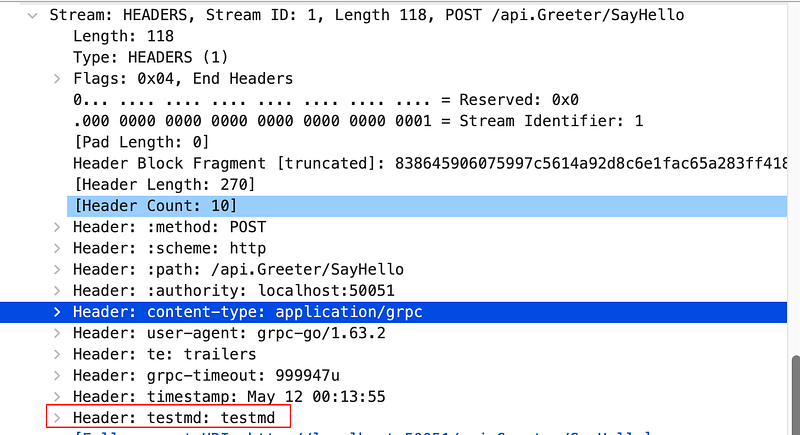
We also see grpc-timeout in the header, indicating that the request timeout is also included. The specific details may be covered in a dedicated article, but today, we focus on packet capturing.
TLS
The examples above use plaintext transmission, and we used grpc.WithInsecure() it when dialing. However, in a production environment, we generally use TLS for encrypted transmission. Detailed information can be found in my previous article.

Let's modify the server-side code:
Now, let’s also modify the client code:
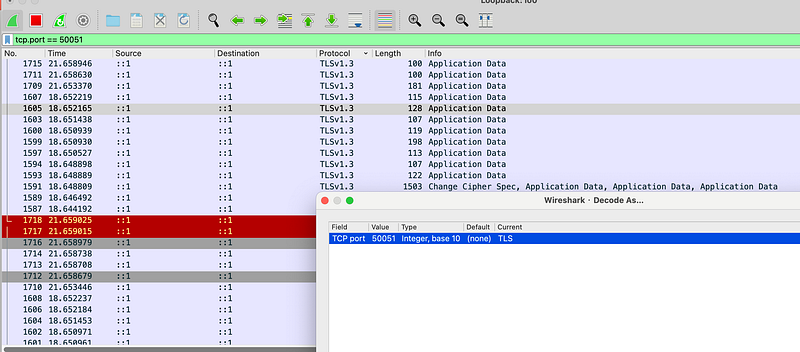
At this point, we can capture packets again and use the same method to decode them.
However, we will find that decoding as HTTP2 is no longer possible, but we can decode it as TLS1.3.
Conclusion
This article summarizes the basic process of using Wireshark to capture gRPC packets.
By capturing packets, we learn that gRPC parameter transmission is done through HTTP2 data frames, and CTX and other metadata are transmitted through headers. These concepts might be familiar, but hands-on experiments enhance understanding.
With TLS, we can achieve secure gRPC communication. In the next article, we will attempt to decrypt TLS packets.