Claude Code March Update: 8 Features Broken Down, With Setup Instructions
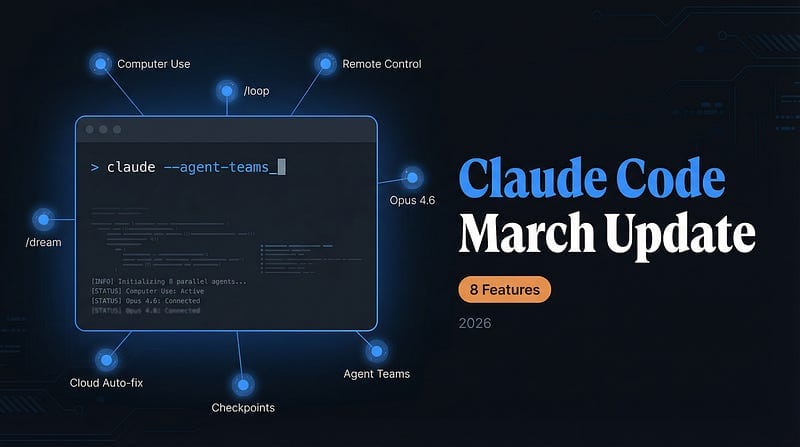
Computer Use, /loop, Agent Teams, 1M context, Checkpoints, and Cloud Auto-fix — the tools that turn your laptop into an autonomous engineering workstation
The head of Claude Code recently said something that silenced a lot of engineers:
He hasn’t manually touched a single line of code since last November.
He merges 10–30 PRs per day, runs 5 agents simultaneously, and has an entire workflow driven by Claude Code.
This isn’t a future scenario. It’s his daily reality right now.
The March update dramatically lowered the bar for everyone else. This post breaks down all 8 core features one by one — with setup instructions and official references — for easy reference.
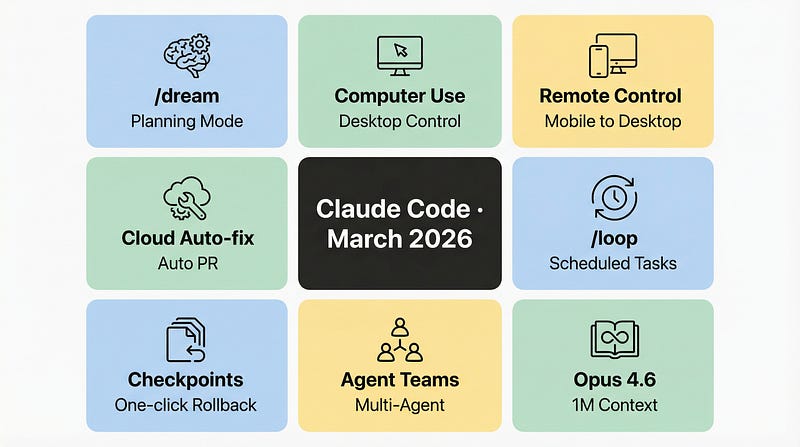
1. The /dream Command — Most Mysterious, Least Ready
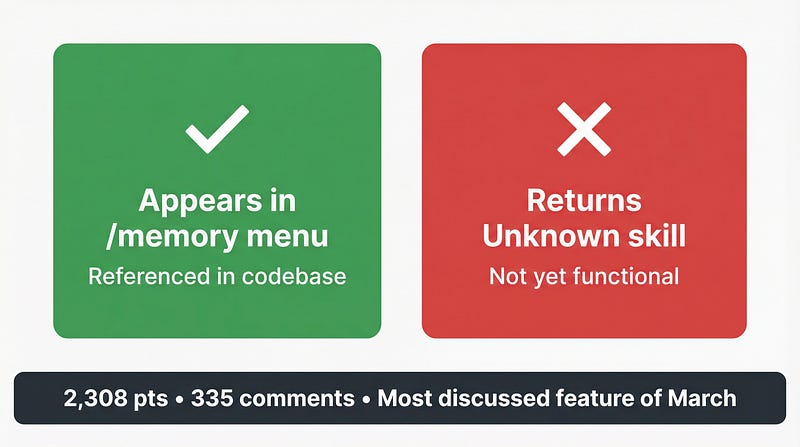
On March 24, a post titled “Claude Code can now /dream” appeared on r/ClaudeCode. It hit 2,308 upvotes and 335 comments, making it the most-discussed single feature of the month.
But the reality is more nuanced than the headline.
/dream has appeared in the /memory menu, but calling it returns 'Unknown skill' — it's been referenced but hasn't actually launched. Multiple related GitHub Issues are tracking this state[1][2].
Community speculation centers on a “planning / imagination mode”: letting Claude freely sketch out solution drafts before execution, unconstrained by existing code structure.
Like letting an engineer whiteboard the architecture before touching the keyboard.
A third-party community reimplementation exists[3], but it’s not an official release.
Bottom line: /dream is in development. The excitement it generated is real — the availability isn't there yet. Worth watching.
2. The Autonomous Trio
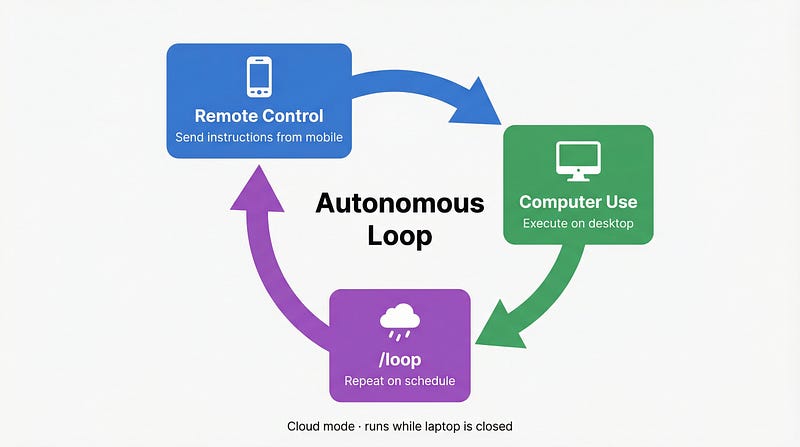
This is the most systemically significant part of the March update. Three features combine to create a closed loop where work gets done even when you’re not around.
The official blog post Enabling Claude Code to work more autonomously[4] is the primary reference for this group.
Computer Use: Direct Desktop Control
Available to Pro and Max users; currently macOS-only; no extra configuration needed.
Official statement from @claudeai[5] on X:
“You can now enable Claude to use your computer… Research preview in Claude Cowork and Claude Code, macOS only.”
Claude can directly control your desktop — opening browsers, filling forms, clicking buttons, and analyzing screenshots. Not through an API, not through shell commands. It’s literally watching your screen and operating it.
This means tools with no API are now within reach.
Remote Control: Send Instructions from Your Phone
Paired with Computer Use, the Claude App (mobile) can now send instructions to your desktop.
The scenario: you step out and remember a task that needs to run. Pull out your phone, say a sentence in the Claude App, and the Claude instance on your desktop receives the instruction and starts executing.
Your computer becomes a remotely dispatchable workstation, available at any time.
/loop: Scheduled Tasks That Run Even When Your Laptop Is Closed
Three modes:
Cloud scheduling mode: Tasks are submitted to the cloud and executed without your local machine running. Check the results when you’re back.
Desktop mode: Runs locally in a loop. The machine needs to stay on.
/loop command mode: Format is /loop <interval> <prompt>. Runs the same prompt on repeat at the specified interval.
A concrete example: before heading out to dinner, use /loop to set a task — check CI status every 15 minutes, auto-fix any failures, and push.
By the time you’re back, the PR will be open, and CI will be green.
3. Opus 4.6 + Extended Context
Model-level upgrades are often the quietest changes with the deepest impact.
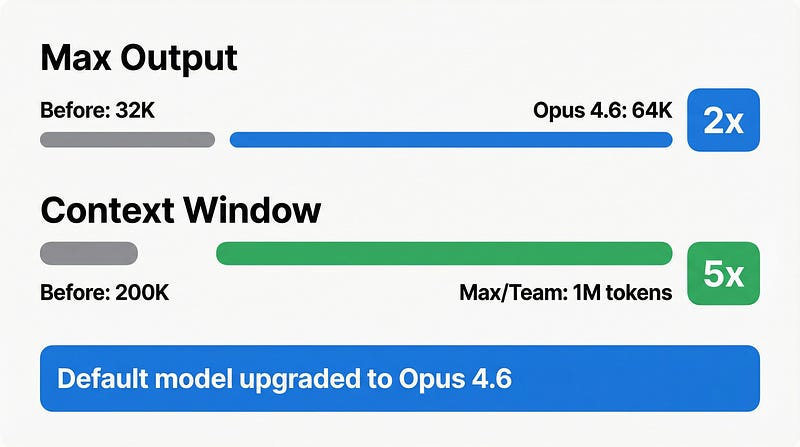
The default model has been upgraded to Opus 4.6.
Maximum output increased to 64K tokens, with a maximum of 128K.
A 1M token context window is now available to Max, Team, and Enterprise users.
What does 1M tokens actually look like? Roughly the full source code of a mid-sized project, plus test files, plus documentation — with room to spare.
Before, using Claude Code meant carefully curating context, excluding unrelated files. Now you can feed in the entire repository.
This isn’t just a bigger number. The way you work is changing — no more time spent managing context windows. Focus on the task.
4. Checkpoints + Subagents: The Real Foundation of Autonomy
Both features come from the same official blog post [4] and are key guarantees that make “unattended operation” viable.
Checkpoints
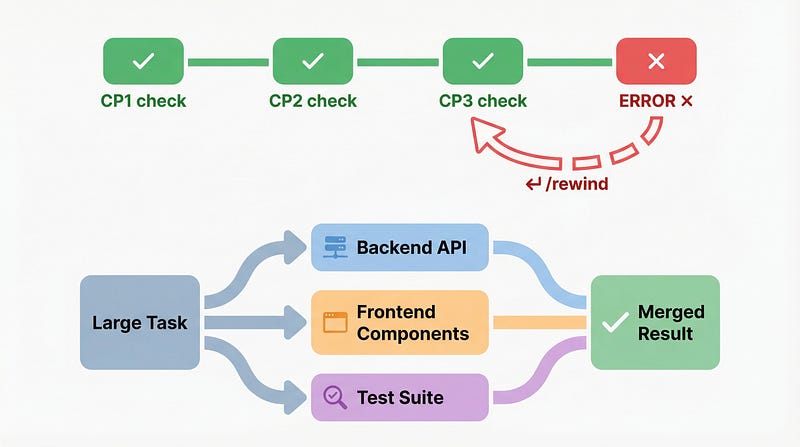
Claude automatically saves code state snapshots.
If something goes wrong, press Esc twice or type /rewind to jump back to the last stable state.
Official statement:
“Checkpoints let you pursue more ambitious and wide-scale tasks knowing you can always return to a prior code state.”
Subagents
Break large tasks into pieces and delegate them to subagents running in parallel.
One agent writes the backend API while another builds the frontend simultaneously — no blocking; results are merged at the end.
Official statement:
“Together, these capabilities let you confidently delegate broad tasks like extensive refactors or feature exploration to Claude Code.”
5. Agent Teams (Experimental) — 16 Agents Built a C Compiler
This is the most worth reading deeply about from March.
How to enable:
export CLAUDE_CODE_EXPERIMENTAL_AGENT_TEAMS=1Restart Claude Code after setting it up, and the multi-agent collaboration mode will activate.
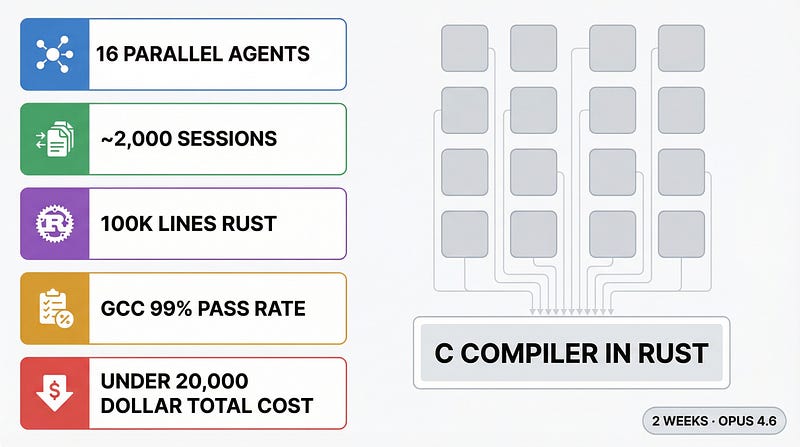
An Anthropic engineer published a blog post[6] documenting an experiment using this mode:
- 16 Claude instances running in parallel, each in an isolated Docker container, sharing a single Git repository
- Nearly 2,000 Claude Code sessions over two weeks
- Final output: a C compiler in approximately 100,000 lines of Rust, supporting Linux kernel compilation (x86, ARM, RISC-V)
- GCC torture test pass rate: 99%
- Total cost: under $20,000
The engineer summarized the key lesson:
“Every agent would hit the same bug, fix that bug, and then overwrite each other’s changes. Having 16 agents running didn’t help because each was stuck solving the same task.”
Task decomposition granularity matters more than agent count.
Current status: Experimental, behavior is unstable in some scenarios, but core capabilities are usable.
6. Cloud Auto-fix: Full PR Lifecycle Automation
This feature launched as part of Claude Code on the web[7].
Official definition:
“Claude Code on the web lets you kick off coding sessions without opening your terminal. Connect your GitHub repositories, describe what you need, and Claude handles the implementation.”
What it can do:
- Connect GitHub repositories and execute tasks in the cloud
- Automatically create PRs, no local terminal needed
- Run tasks in parallel across multiple repositories
- Each task runs in an isolated sandbox environment with network and filesystem restrictions
Official statement:
“You can now run multiple tasks in parallel across different repositories from a single interface and ship faster with automatic PR creation.”
From submitting a requirement to a PR being opened — Claude handles the whole thing.
GitHub Action integration reference: anthropics/claude-code-action[8]
Availability: Research preview open to Pro/Max/Team/Enterprise users.
7. Four Small Developer Toolchain Updates
These changes aren’t headline-grabbing, but each one solves a real pain point.
--bare flag
claude --bare "your instruction"Skips all hooks and LSP initialization. Useful when calling Claude Code from scripts or in batch processing scenarios that need a fast response.
Auto Memory
Claude now automatically records cross-session context and recalls it in new sessions. No need to manually maintain CLAUDE.md — it learns on its own.
Windows PowerShell Support (Preview)
Windows users can finally use Claude Code natively in PowerShell. Currently a preview; functionality still being refined.
Community-Built Tools
Two community projects worth watching:
- MCP Server (HN 570pts): Claims to reduce context consumption by 98% through aggressive compression at the MCP layer
- Rudel Session Analytics (HN 144pts): Analyzes Claude Code session data to show you where your tokens are actually going
8. The Controversy That Can’t Go Unmentioned: Silent Limit Reductions
Also on March 24, a different kind of discovery surfaced.
Post title: “Claude Code Limits Were Silently Reduced, and It’s MUCH Worse”
897 upvotes, 304 comments.
No official announcement. No email notice. Users found that daily limits had shrunk noticeably — some reporting reductions of more than a third compared to the previous month.
The timing is the strange part — the same day the 1M context window opened, daily totals quietly dropped.
Expand the single-session ceiling, compress the daily total.
You can do more in one session. You can have fewer sessions.
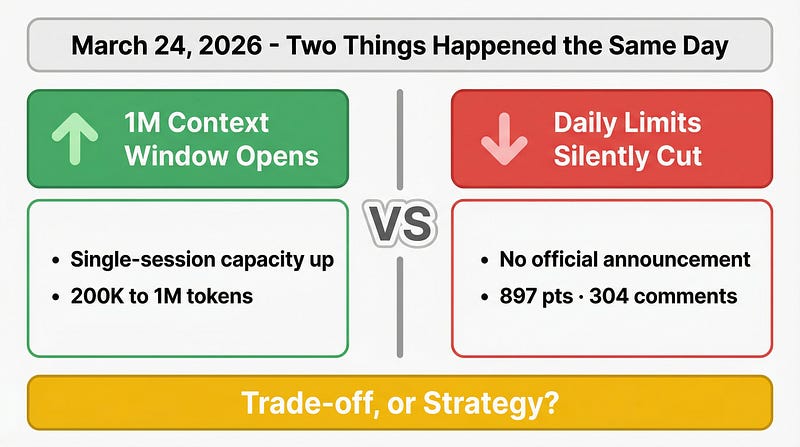
Trade-off, or strategy? No official response so far. As a user, expectations around “unlimited usage” need recalibration.
Closing Thoughts
On the surface, this March update is a pile of features. At its core, it’s a systematic push toward autonomy.
Computer Use + Remote Control + /loop + Agent Teams + Cloud Auto-fix + Checkpoints — these features, assembled, describe a single picture:
Engineers moving from executor to task designer and result reviewer.
The stretch in the middle — sitting at a computer changing things line by line — is being compressed.
Which of these are you actually using? Let me know in the comments.
And an open question to leave you with:
When an AI engineer can run unattended, where exactly does the boundary of “writing code” lie?