7 Amazing Go-cli Projects on Github
7 Amazing Go-cli Projects on Github. Note: Non-members can read the full story in this link . Golang is an exciting language that’s been around for about 1。
Note: Non-members can read the full story in this link.
Golang is an exciting language that’s been around for about 15 years now, and it’s great for writing not only server-side programs but command-line programs as well. I’m going to summarize a few amazing go-cli programs, each of which is a real eye-opener and definitely worth trying.
fzf
Visit link: https://github.com/junegunn/fzf
A fuzzy search command-line tool that can search for everything. It can search for files, historical commands, processes, git submission records, and other information, support preview content, integrate into the Vim/Neovim editor, and quickly search.
Let’s demonstrate using this tool to search for drafts of this article.
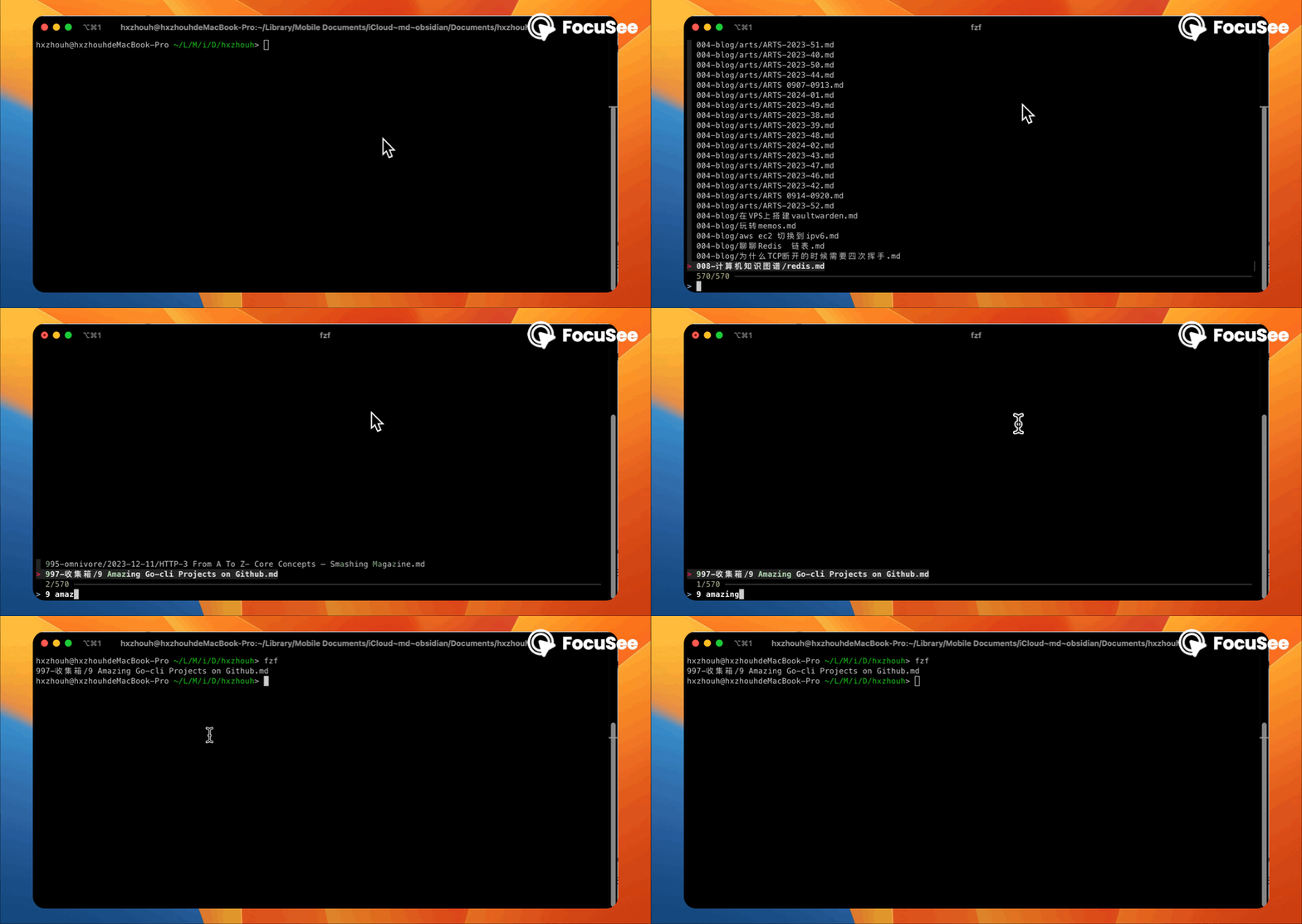
fzf is very powerful, and searching for files is only the most basic function, the following is the fzf official demo video, for more information please refer to the official documentation.
Cheat
Visit link: https://github.com/cheat/cheat
An interactive “cheat sheet” command line tool. The project creates, edits, and views memos of *nix system commands, such as examples and explanations of common commands.
Installation
go install github.com/cheat/cheat/cmd/cheat@latestuse
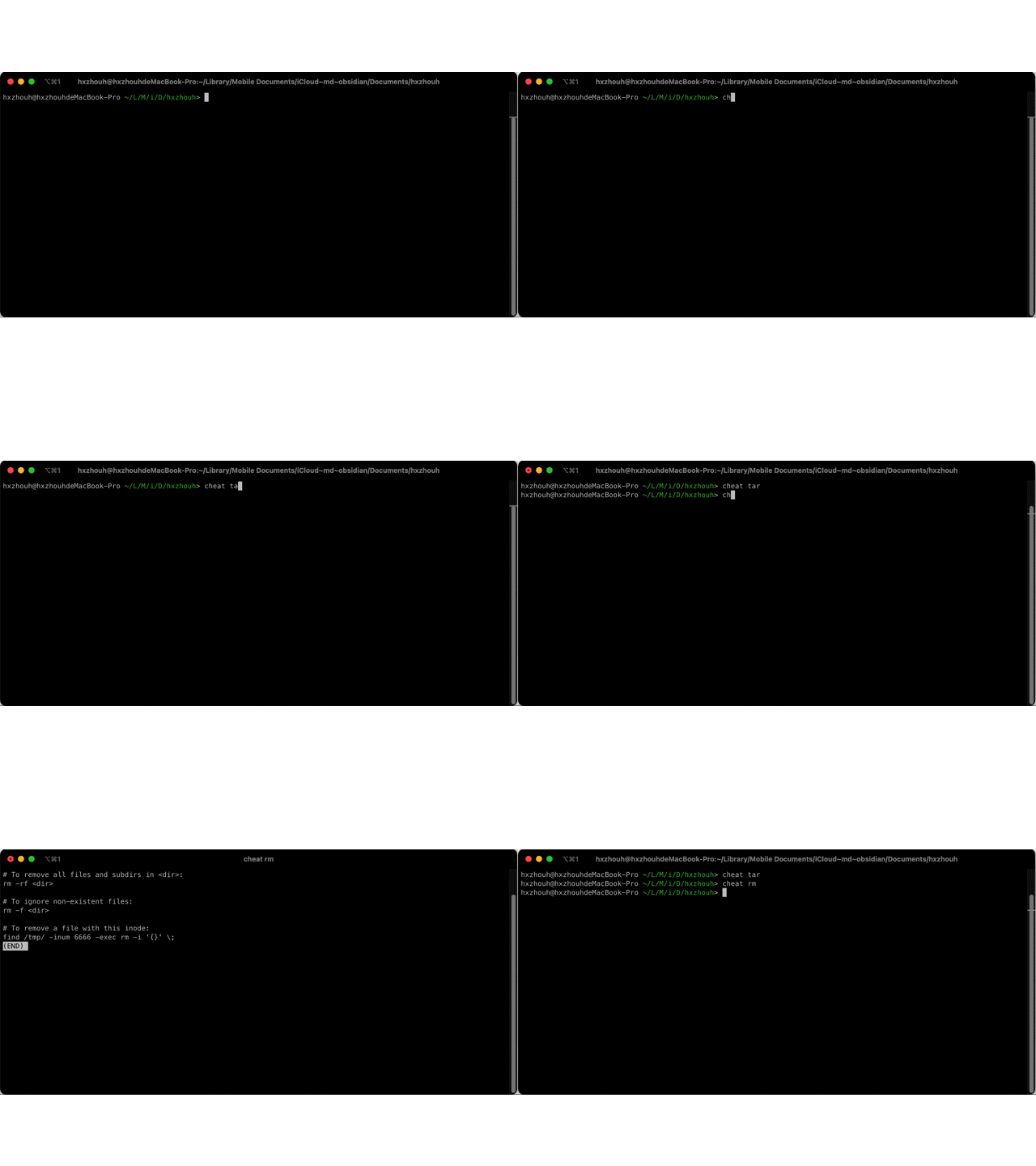
Mom won’t worry about me forgetting how to use commands anymore. 😂
NTrace-Core
Visit link: https://github.com/nxtrace/NTrace-core
A visual route tracing tool. The project sends TraceRoute requests using the ICMP protocol by default and features a display of IPs, geolocation, and elapsed time through routers, as well as a visual representation of the path on a map.
install
brew install nexttrace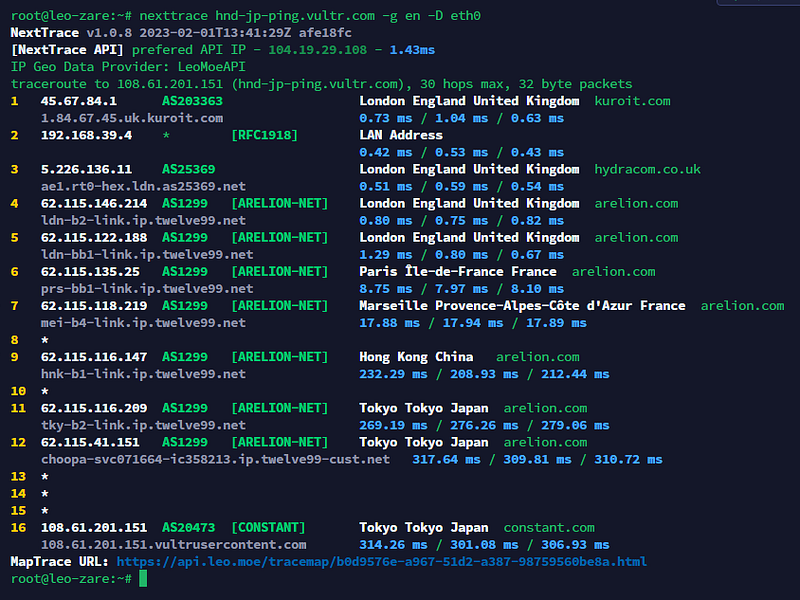
oh-my-posh
Visit link: https://github.com/JanDeDobbeleer/oh-my-posh
Terminal prompt personalization tool for multiple shells. This project has built-in themes for out-of-the-box use, supports PowerShell, Bash, Zsh, and other shells on Windows, Linux, macOS, etc., and automatically completes every command you type.
install
brew install jandedobbeleer/oh-my-posh/oh-my-posh
echo  'eval "$(oh-my-posh init zsh)"' >> ~/.zshrc
source ~/.zshrc
After entering the above three commands, the terminal should change the theme, indicating that Oh-My-Posh has been successfully installed, you can happily use it, so far I have experienced a day, than oh-My-Zsh feels a little bit faster, I do not know if it is because I am a go programmer, have a soft spot for go 🐸
Nap
Visit link: https://github.com/maaslalani/nap
Nap is a code snippet manager for your terminal. Create and access new snippets quickly with the command-line interface or browse, manage, and organize them with the text-user interface. Keep your code snippets safe, sound, and well-rested in your terminal.

install
go install github.com/maaslalani/nap@mainPS: you need to add your GOPATH/bin in your PATH
gorched
Visit link: https://github.com/zladovan/gorched
Scorched Earth, is a terminal game written in Go. it reminds me of the game “Bugs”, any of my peers? Let’s have a look back!
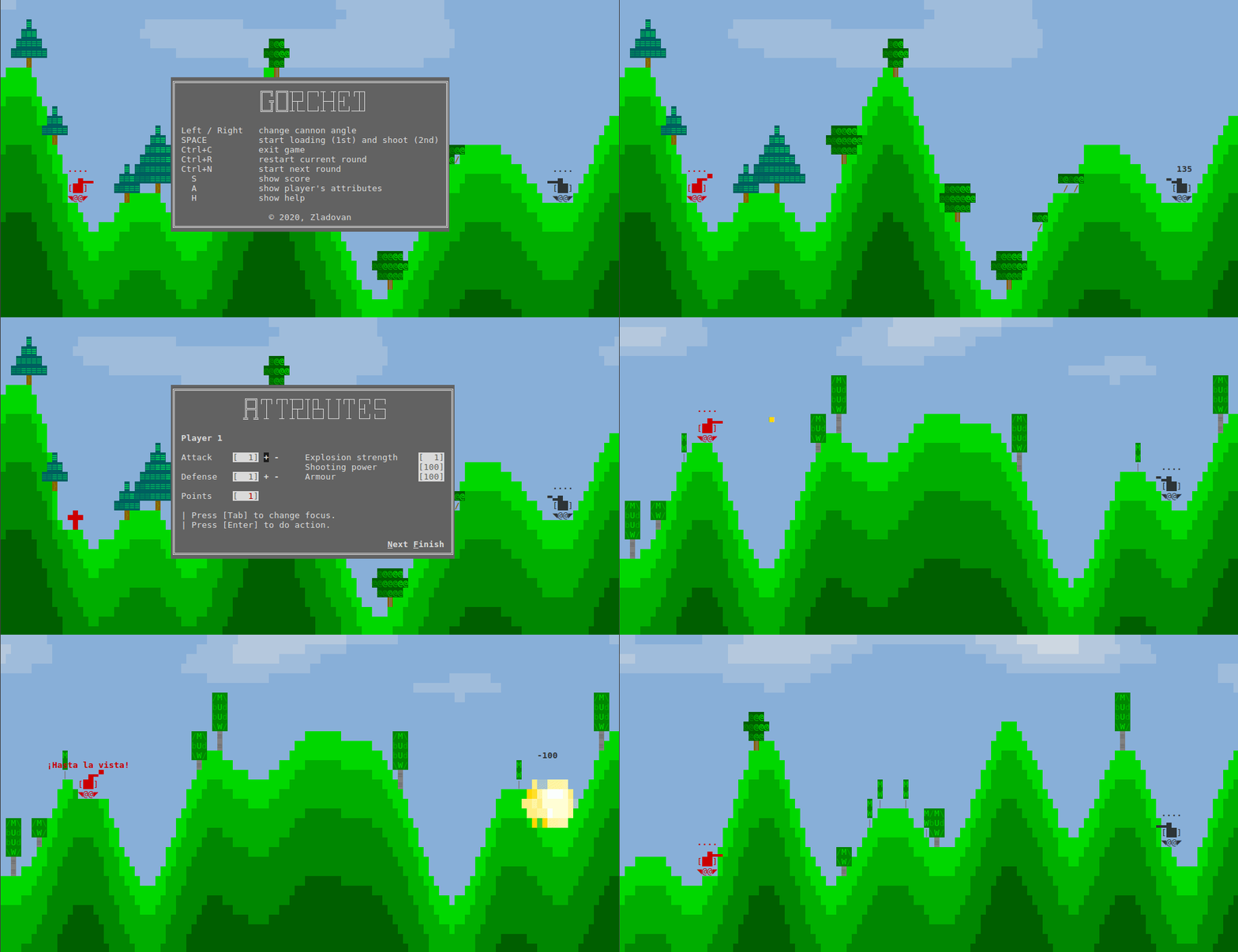
install
brew install zladovan/tap/gorchedyeetgif
Visit link: https://github.com/sgreben/yeetgif
A command line tool for combining and generating gif animations with emoticons. Supports multiple modes: rotate, shake, ghost, etc., can be combined to create a very magical expression, definitely worth trying!
install
PS: you need to add GOPATH/bin in your $PATH
go install github.com/sgreben/yeetgif/cmd/gif@latest
brew install giflossy
usage


More fun methods are waiting for you to discover.
Subscribe here!
If you enjoy my articles, consider buying me a virtual coffee herehttps://www.buymeacoffee.com/hxzhouhe